Viewing Retailer Transactions
Introduction
Overview
SCOPE allows you to view the details about any transactions made by a Retailer using a POS terminal.
Who is responsible for viewing retailer transactions?
Programme and Logistics are responsible for Viewing POS Transactions. Check with your Country Office to confirm who in Programme and Logistics is responsible in your country.
Why is viewing retailer transactions important?
It can be used during any auditing and inspecting procedures. Programme and Logistics can use it to perform regular reconciliation and to investigate any suspected irregularities. They can also use it to get a more detailed view of what is happening in the field.
What do I need to do before viewing retailer transactions?
Make sure that the retailers have uploaded their transactions to SCOPE from the POS terminals.
Where can I learn more?
For more information on Viewing Retailer Transactions, clickhere to explore related Digital Assistance Services Academy Learning Channel materials.
Instructions
To view retailer transactions, log in to SCOPE and perform the following steps:
-
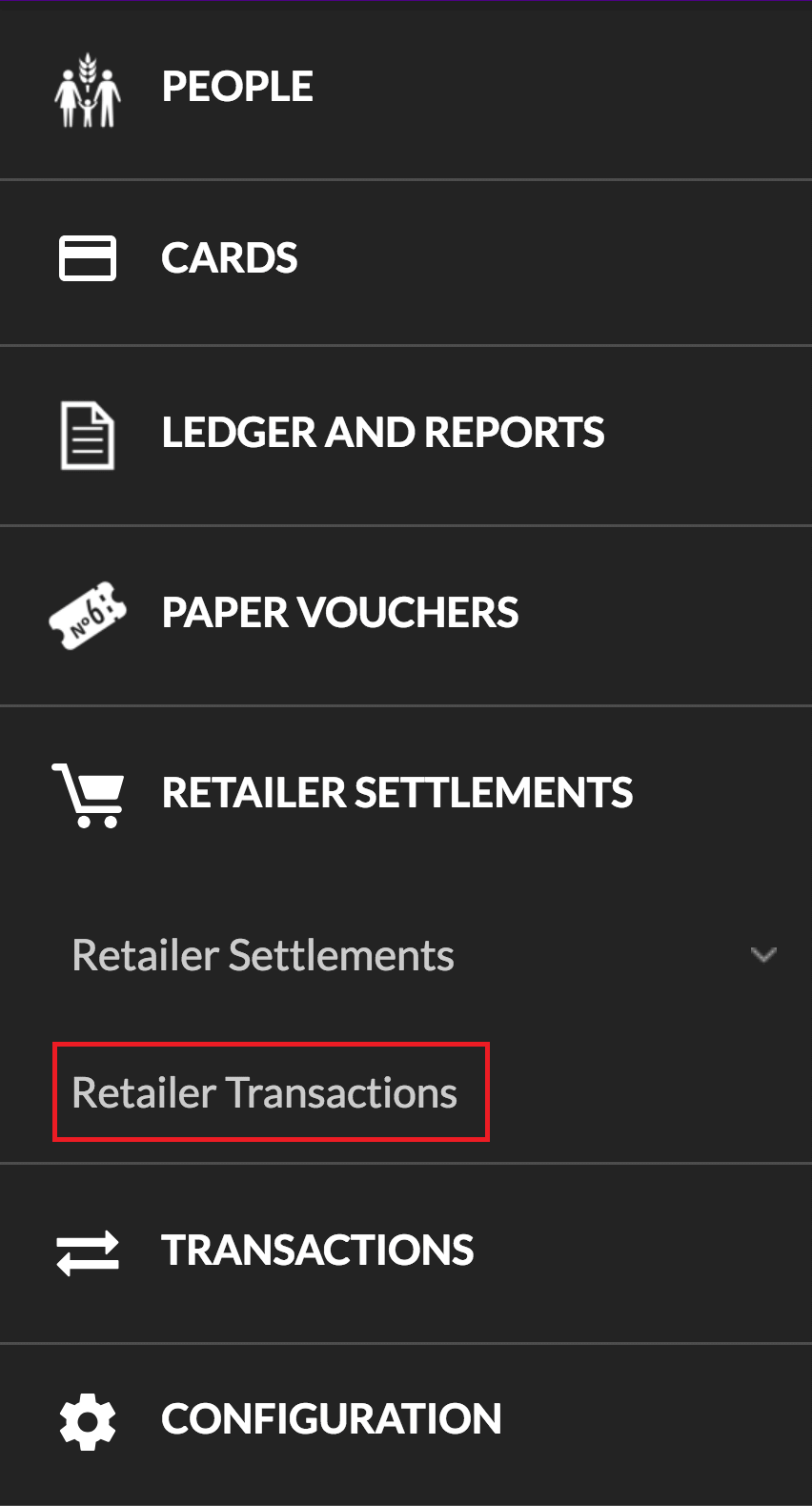
In the Country Office page, click in the menu.
-
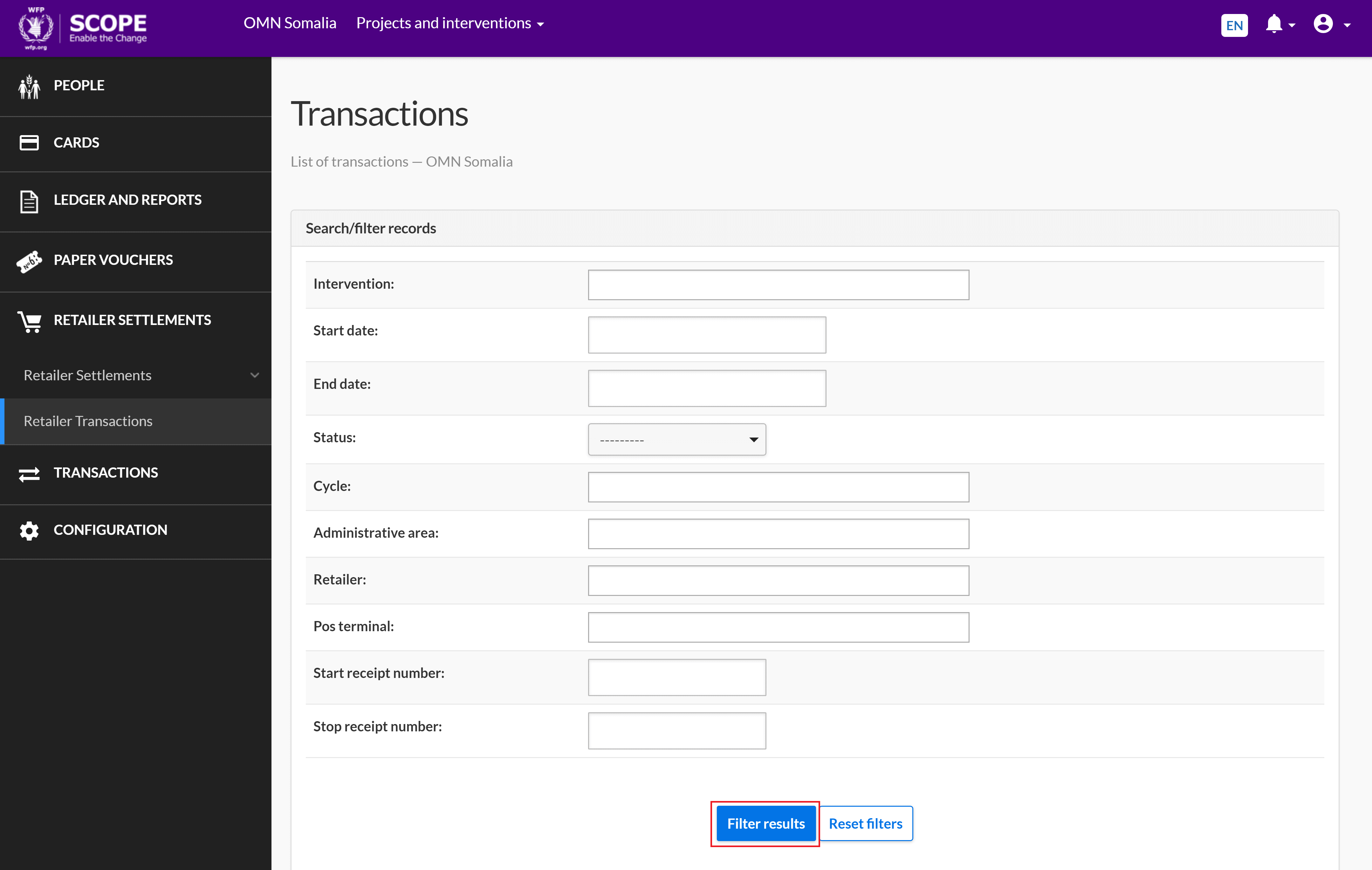
In the Transactions page, enter the details to filter the records and click . The filtered transactions will be listed at the end of the page.
-
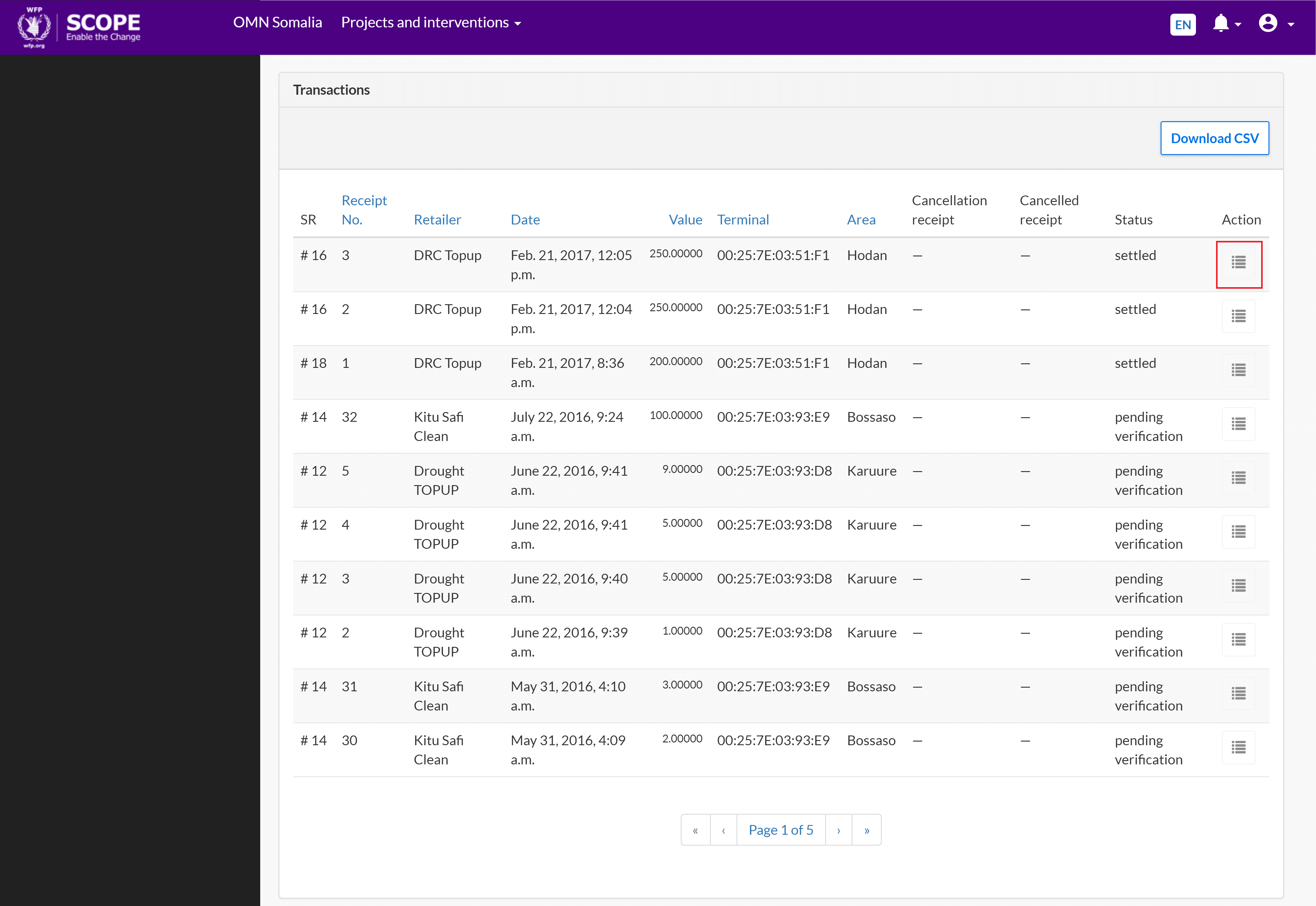
Click the view details icon for the transaction you want to view.
-
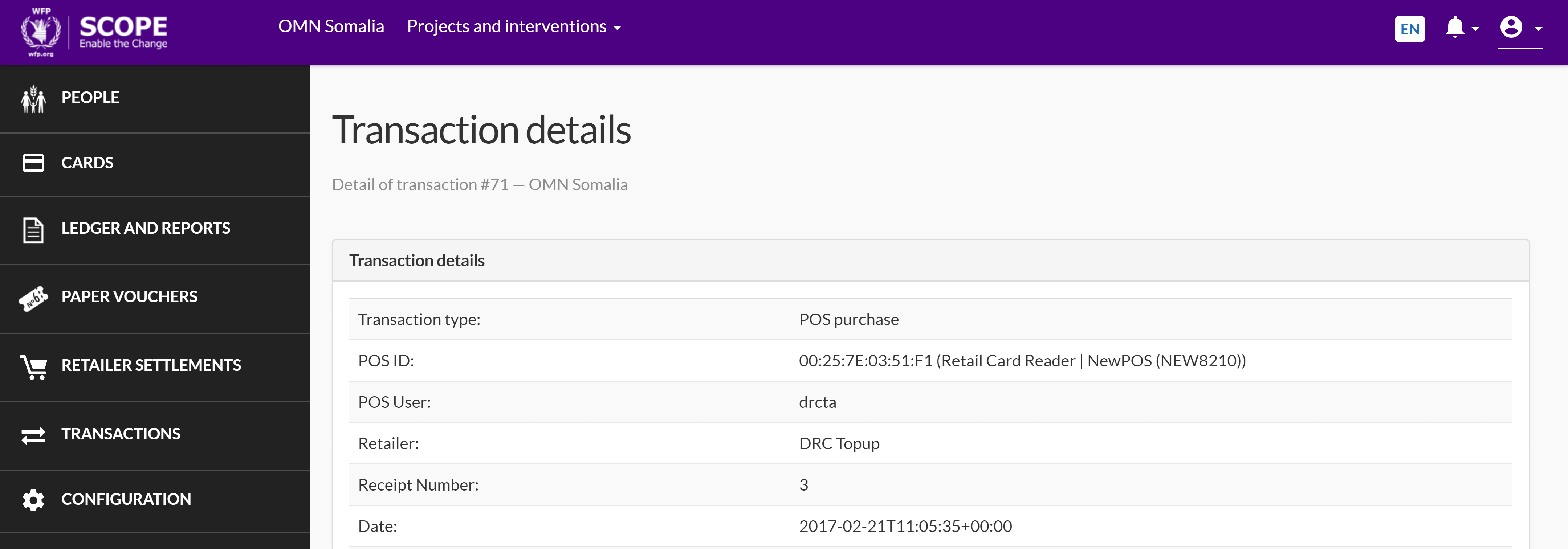
In the Transaction details page you can view the details of the transaction.
-
To view more details about the transaction, perform the following steps:
-
If you need to view the information about the voucher used, click the voucher link.

-
If you need to view the information about the settlement history, click .

-