Verifying a Payment List
Introduction
Overview
Verifying a payment list allows the payment list created by a Programme officer to be independently checked and confirmed by a Finance officer before it is passed to the Head of Finance or Country Director for final approval.
Who is responsible for verifying a payment list?
Finance is normally responsible for verifying a payment list. Check with your Country Office to confirm who in Finance is responsible in your country.
Why is verifying a payment list important?
Verifying a payment list is important to maintaining WFPWorld Food Programme’s separation of duties, so that a review of the information provided when the payment list is created can be carried out without potential interference. It thus helps ensure the security and accuracy of information provided in this accounting process.
What do need to do before verifying a payment list?
Before you can verify a payment list, it must already have been created in SCOPE by Programme for the cycle.
In addition, funds must be allocated on WINGS and a PO must be defined for that.
Where can I learn more?
For more information on verifying a payment list, click here to explore related Digital Assistance Services Academy Learning Channel materials.
Instructions
To verify a payment list, log in to SCOPE and perform the following steps:
-
In the Country Office page, click See list of projects and interventions.

-
In the Projects and interventions page, click on the intervention you want to verify a payment list for.

-
In the Intervention page, click the box in the dashboard.

Alternatively, click in the menu.
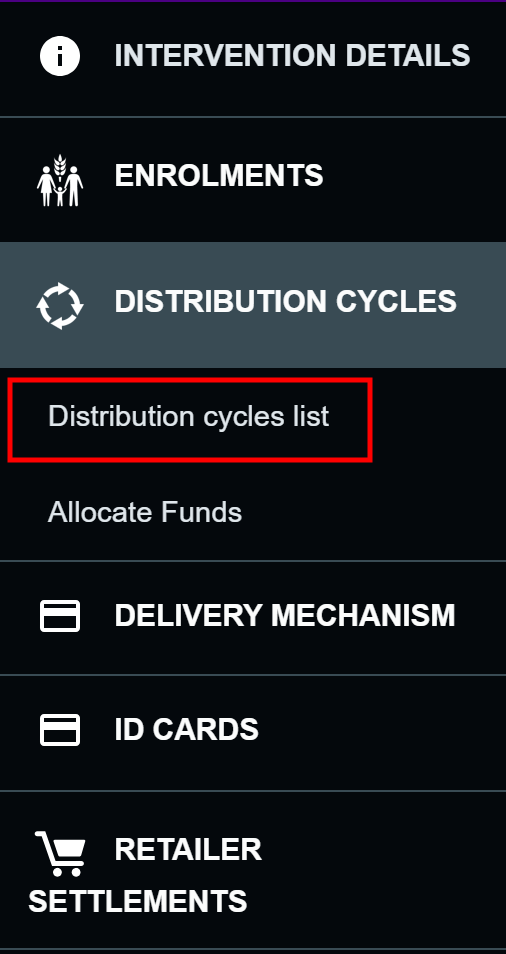
-
In the Distribution cycles page, click the distribution cycle you want to verify a payment list for.
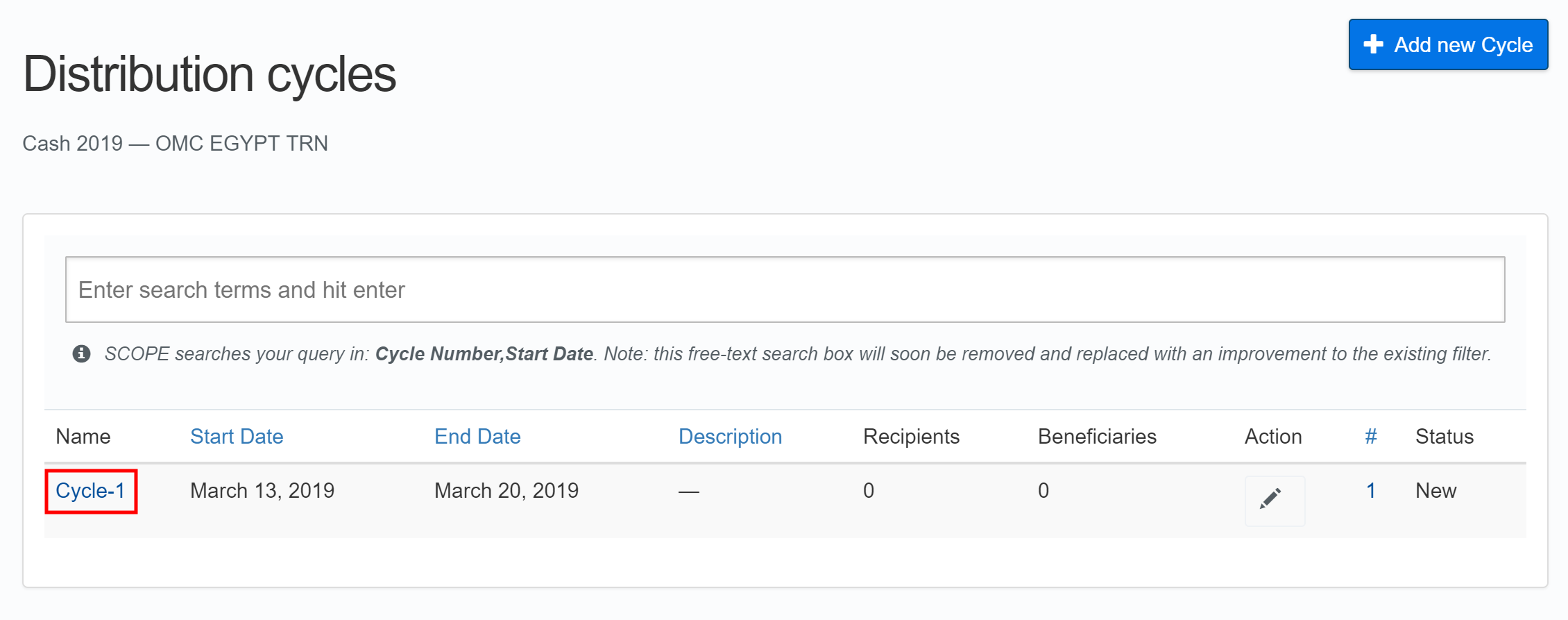
-
In the Distribution cycle overview page, click in the menu.
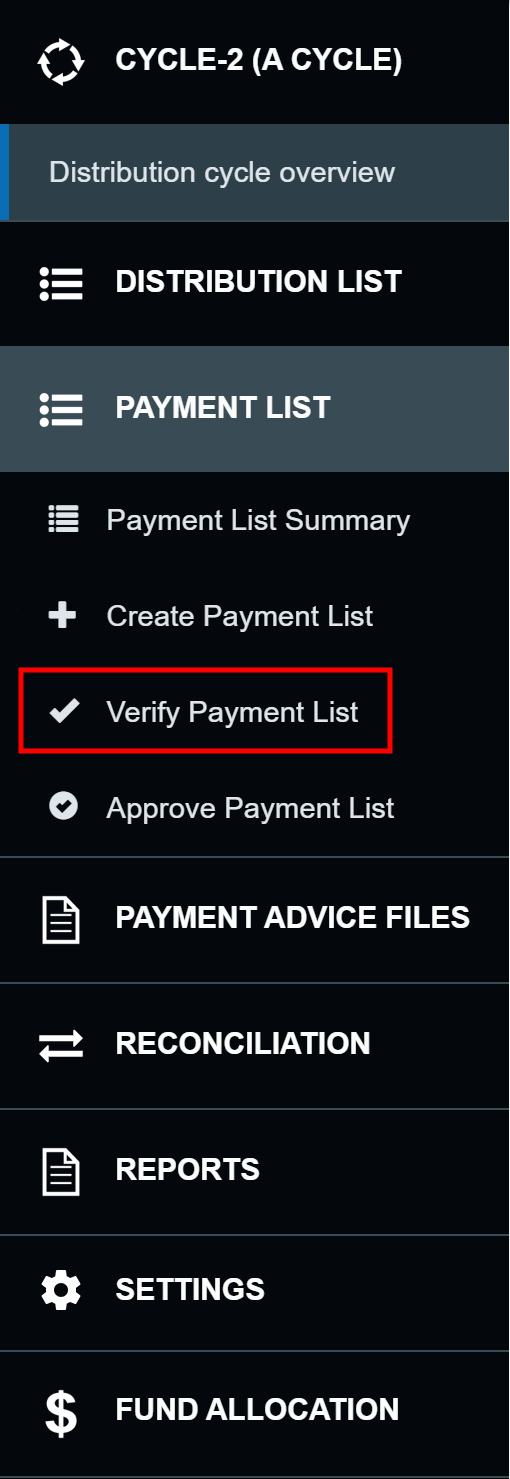
-
In the Verify payment list page, click the checkboxes for the payment lists you want to verify.

-
Select the Purchase Order (PO) for the distribution cycle, and then for each area if the PO is different from the distribution cycle’s.
Note: This is different from the WINGS process of selecting specific PO line items. Until SCOPE and WINGS are integrated, this step ensures that a corresponding PO has been created in WINGS for the specific cycle and allows Finance to check it before verifying a payment list.
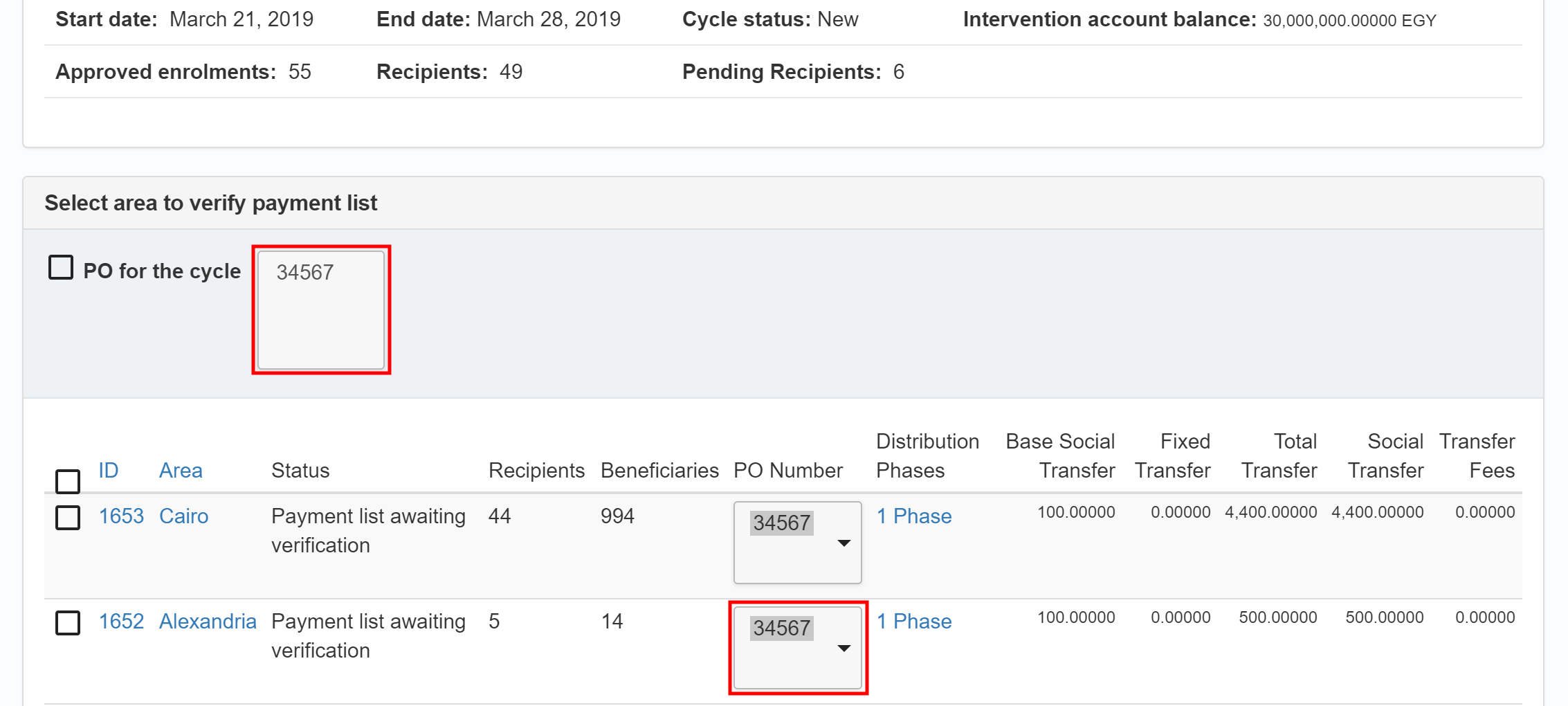
-
Click .

-
You will automatically receive an email confirming the payment list has been verified.