Suspending Enrolments
Introduction
Overview
Suspending enrolments is how you remove households or beneficiaries from interventions so that they will no longer receive benefits and entitlements. Suspending enrolments involves identifying individuals or households in the intervention area who are no longer eligible for benefits and suspending them from the intervention.
Who is responsible for suspending enrolments?
Programme is normally responsible for suspending enrolments. Check with your Country Office to confirm who in Programme is responsible in your country.
Why is suspending enrolments important?
If unqualified beneficiaries are enrolled, they will be included in all distribution lists and Payment Advice Files (PAFs) that you create. As a result, they will receive aid or entitlements that they do not qualify for. It is important that the list of beneficiaries is accurate and that only beneficiaries who need to be a part of the intervention are successfully enrolled so that the intervention is providing assistance only to those who need it.
What do I need to do before suspending enrolments?
Before suspending an enrolment you must identify which beneficiaries and households you want suspended from the intervention. Carefully review your interventions to find all the enrolments that must be suspended.
When suspending enrolled beneficiaries and households, there are two methods:
- Bulk Suspend Members allows you to suspend several beneficiaries at the same time. This method makes it easy to suspend multiple beneficiaries and allows you to filter selected groups of beneficiaries according to filter criteria. For example, you can use the age filter to suspend everyone in one location that is no longer a part of the intervention. This method allows you to also use a CSV file to suspend beneficiaries.
- Suspend Existing Household allows you to suspend households. This process takes longer to complete.
Where can I learn more?
For more information on suspending enrolments, click here to explore related Digital Assistance Services Academy Learning Channel materials.
Instructions
Bulk Suspend members
To bulk suspend beneficiaries, log in to SCOPE and perform the following steps:
-
In the Country Office page, click See list of projects and interventions.

-
In the Projects and interventions page, click the intervention that you want to suspend beneficiaries from.

-
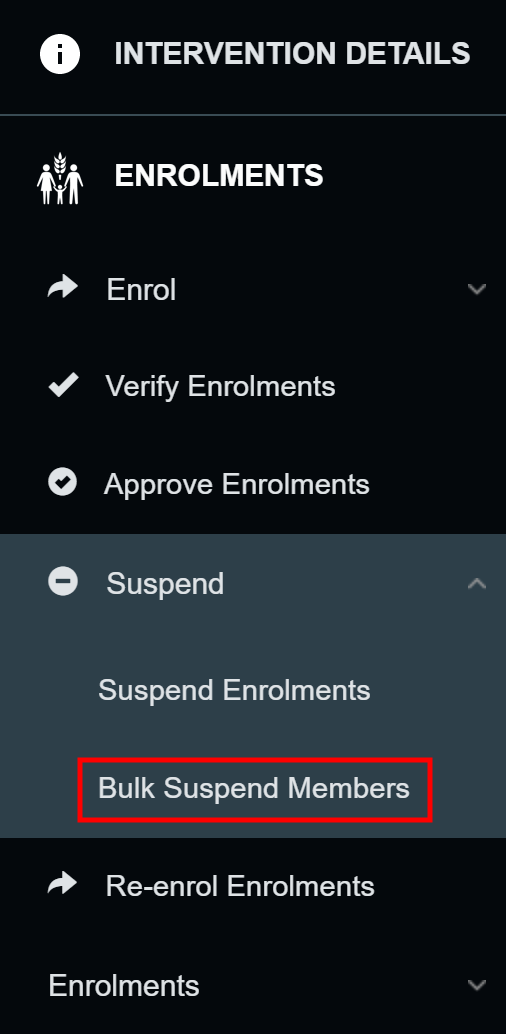
In the Intervention page, click in the menu.
-
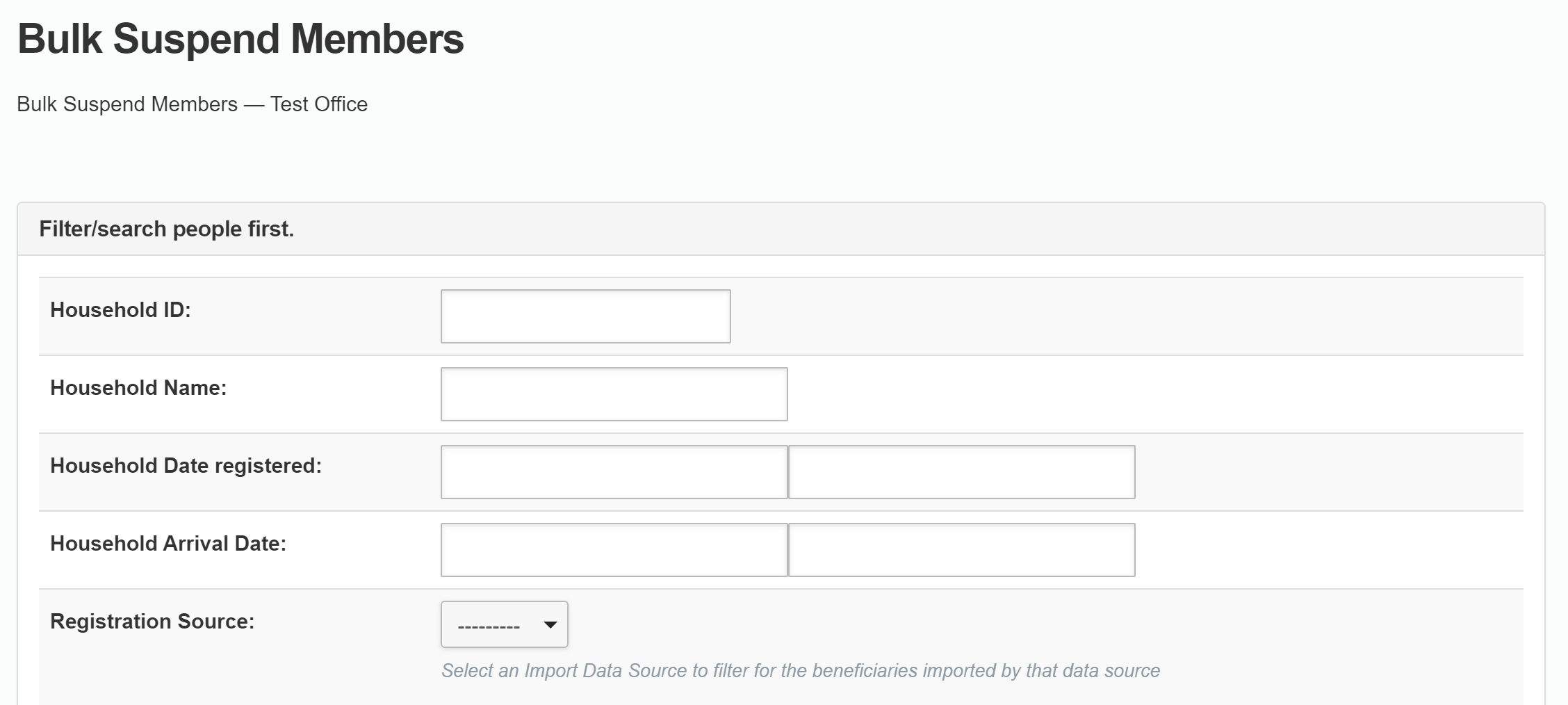
In the Bulk Suspend Members page, filter beneficiaries using the available fields and click to filter the beneficiaries.

-
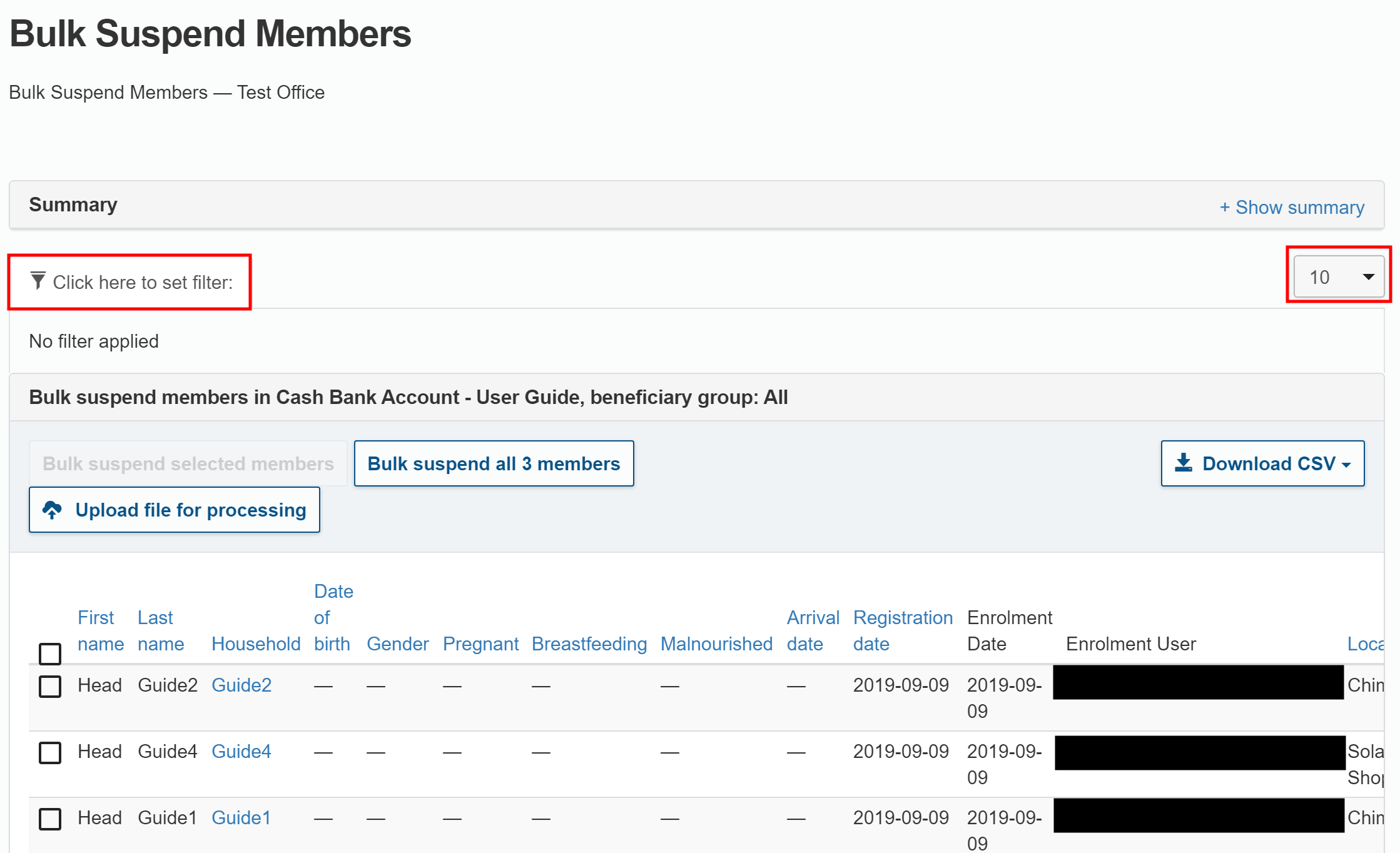
In the filter results page find the beneficiaries you want to suspend. By default, 10 beneficiaries are displayed on each page. You can use the filter to further refine the results.
- Click the filter icon () to filter the beneficiaries that are displayed.
- Click the Records Per Page drop-down menu to select how many records are shown on each page.
-
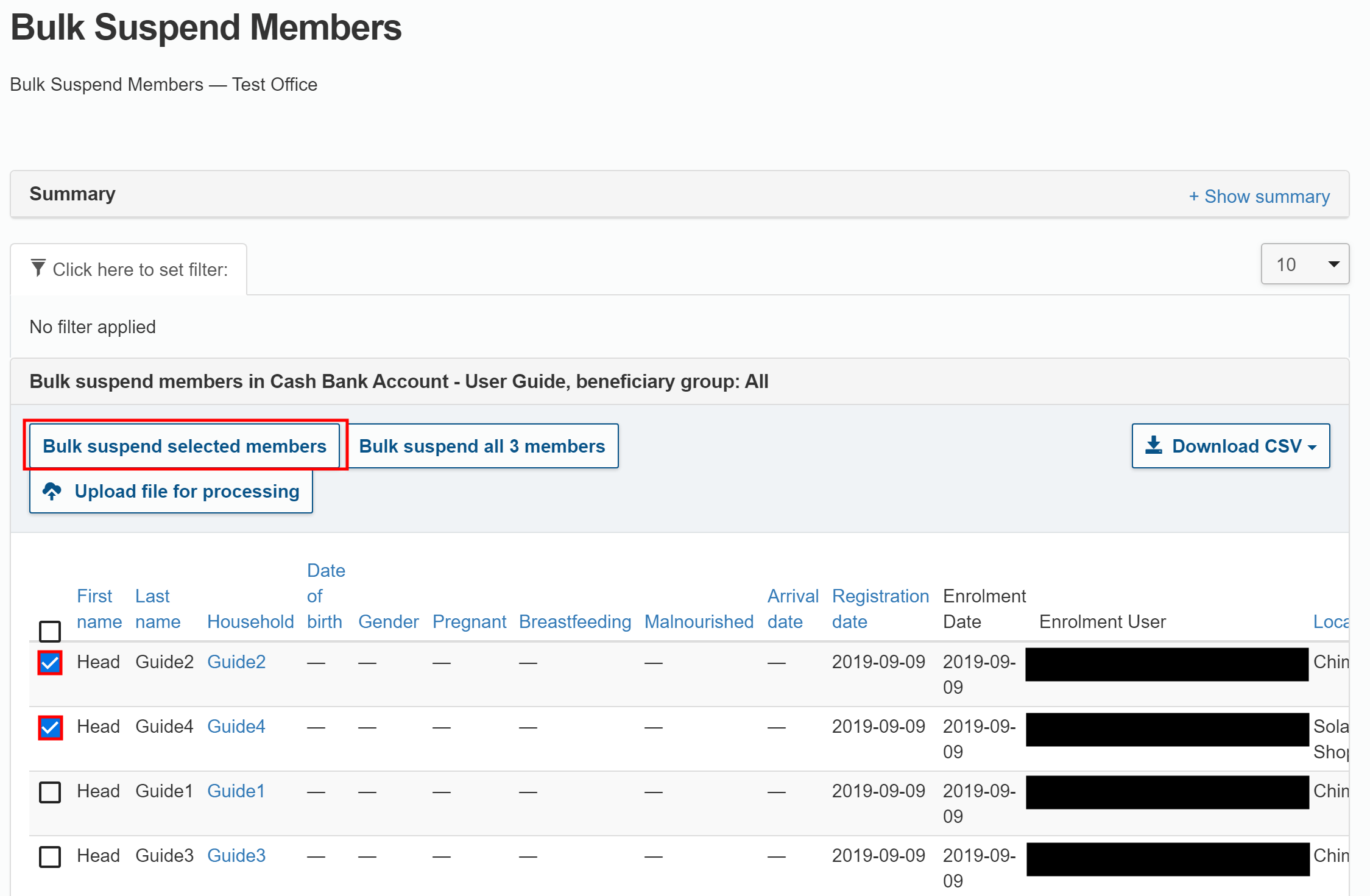
Select the beneficiaries you want to suspend in this intervention. You can suspend some or all of the beneficiaries.
-
To suspend selected beneficiaries, click the checkbox next to the desired beneficiaries. Then, click .
-
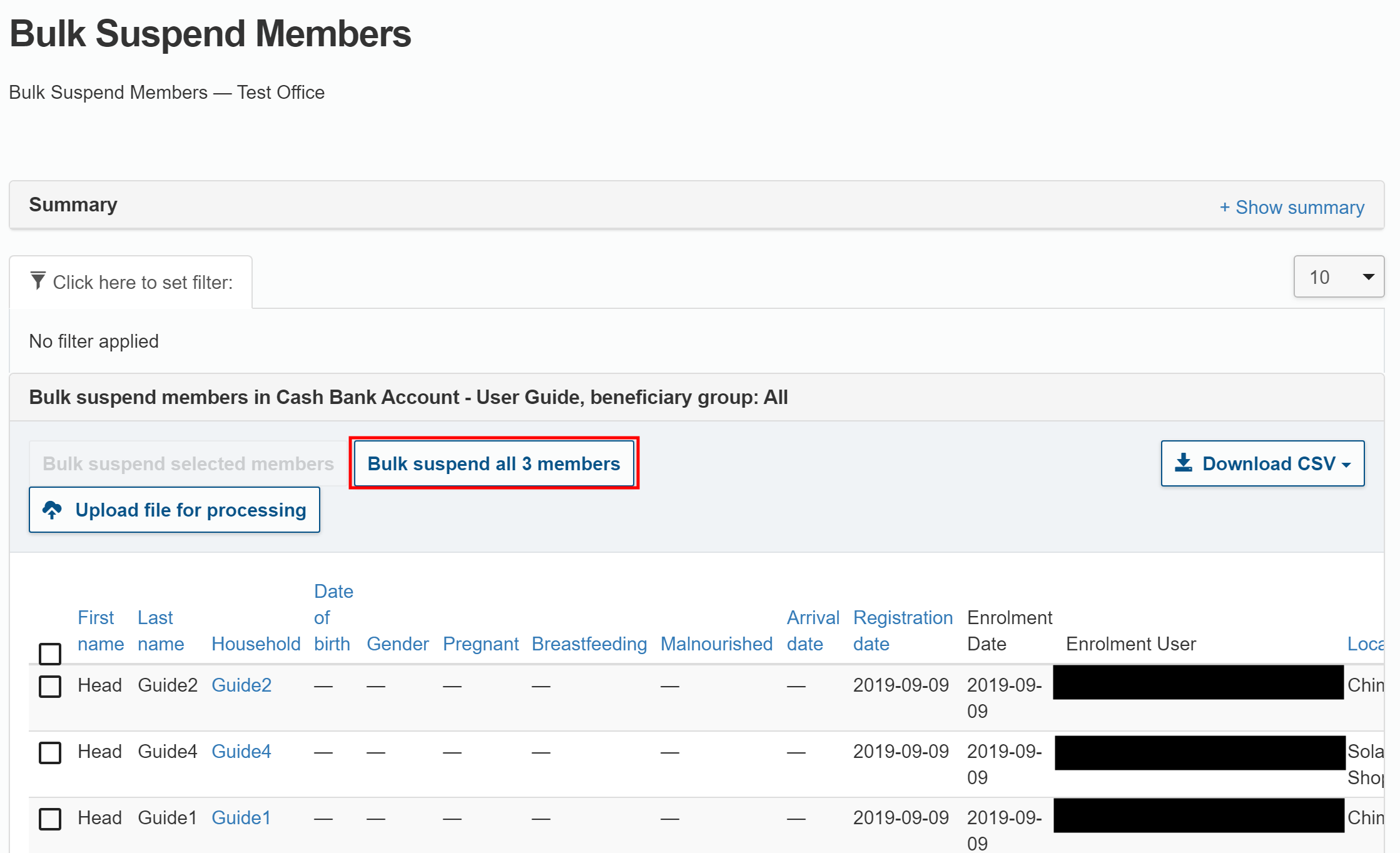
To suspend all beneficiaries that are shown in the results, click .
-
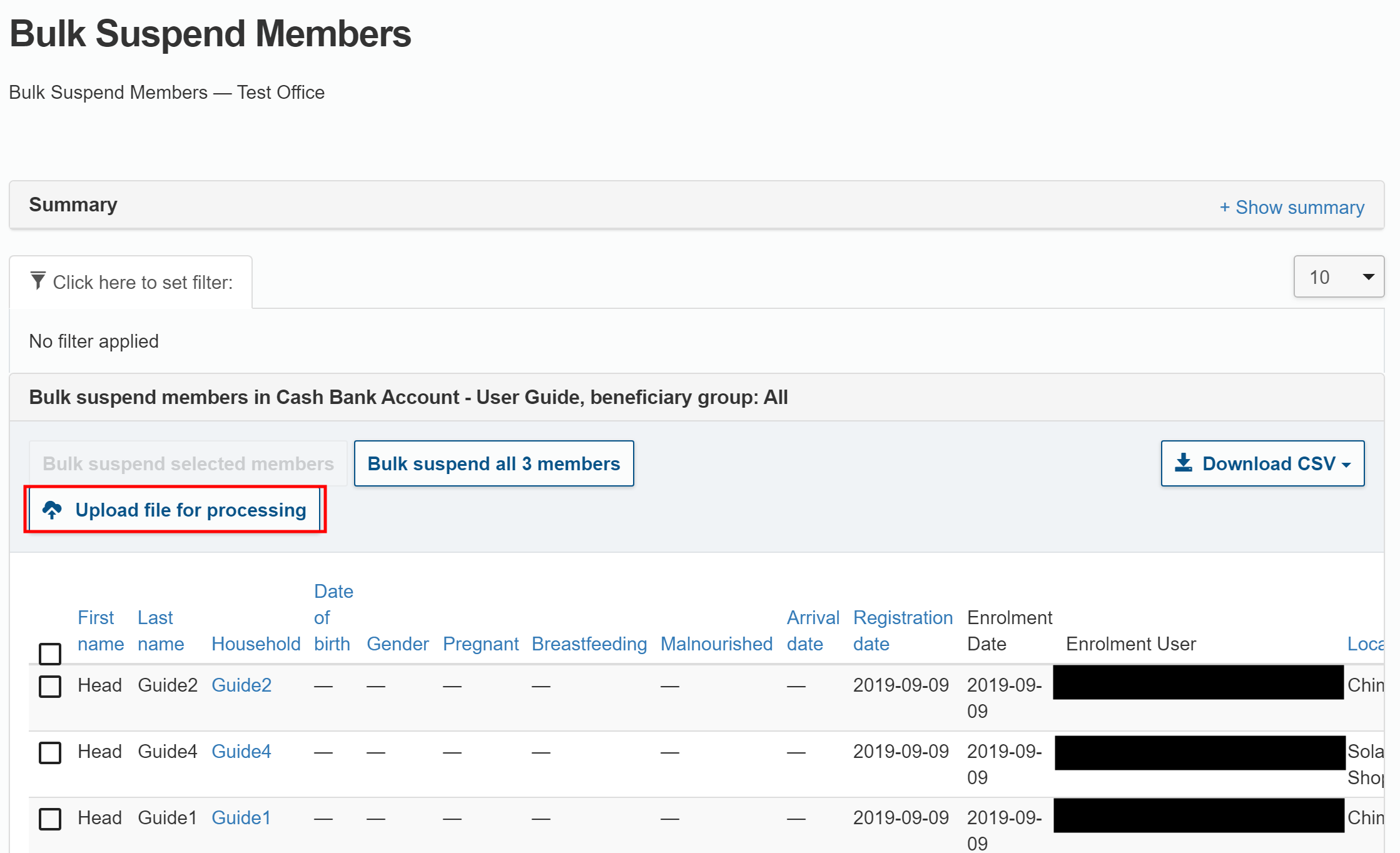
To suspend beneficiaries using a CSV file that identifies them by their ID or by their WFPWorld Food Programme Barcode ID card, WFPWorld Food Programme Smartcard, or other specified document type, click . This is used when you want to download a set of people's identities to analyse before deciding who to suspend. You can then suspend them by uploading this file where they are identified by their ID or other specified document type.
-
-
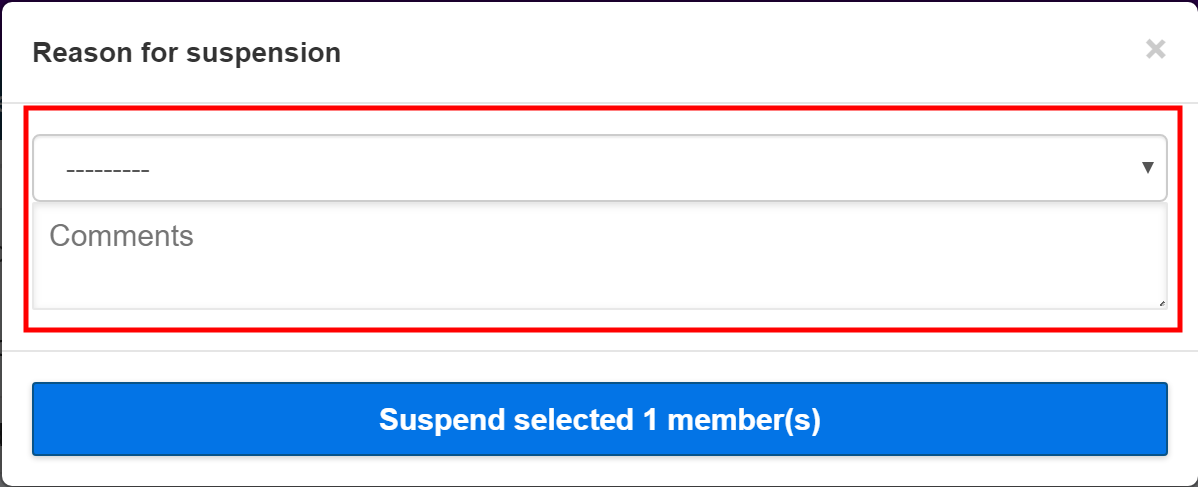
In the Reason for suspension pop-up window, select a reason from the drop-down list and add a comment if required.
-
Click when you are done.
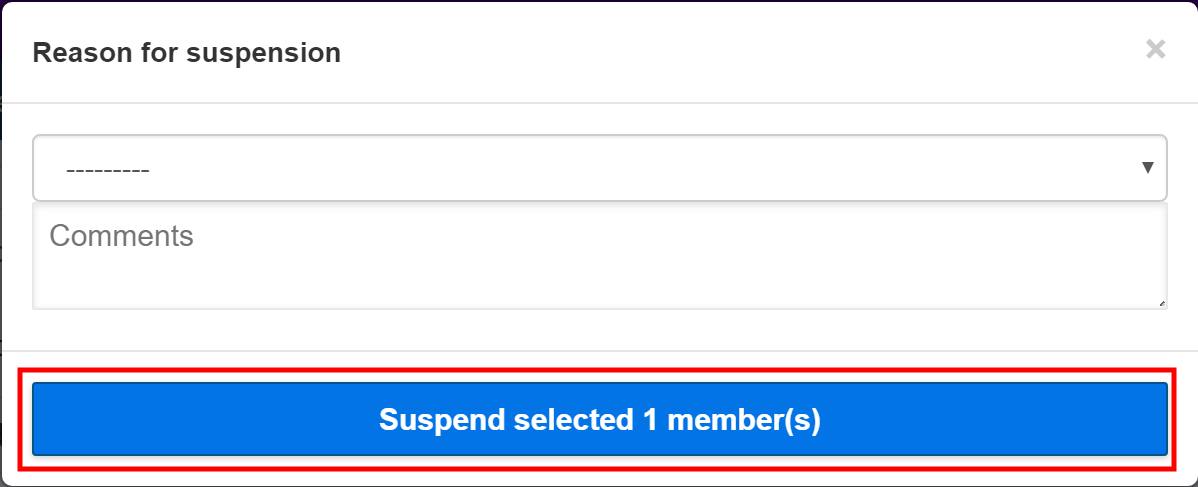
- You will automatically receive an email containing the suspension results. The email includes a download link for a CSV file that lists the beneficiaries that have been suspended.
Suspend Enrolments
To suspend an enrolment, log in to SCOPE and perform the following steps:
-
In the Country Office page, click See list of projects and interventions.
-
In the Projects and interventions page, click the intervention that you want to suspend beneficiaries from.
-
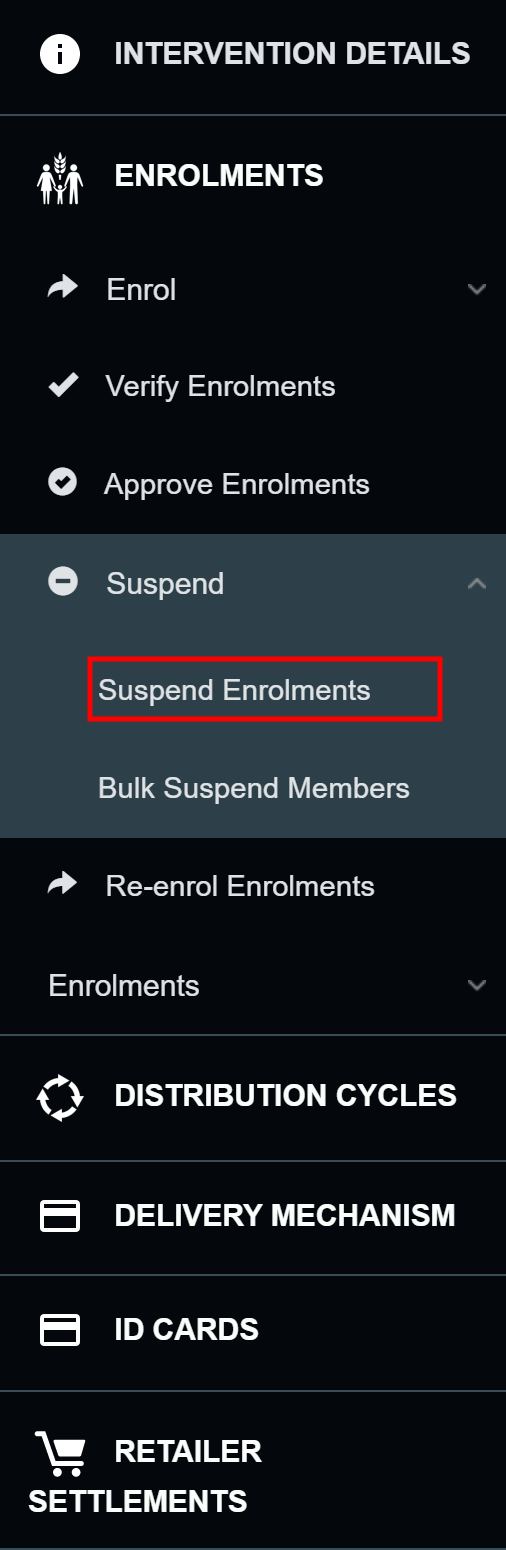
In the Intervention page, click in the menu.
-
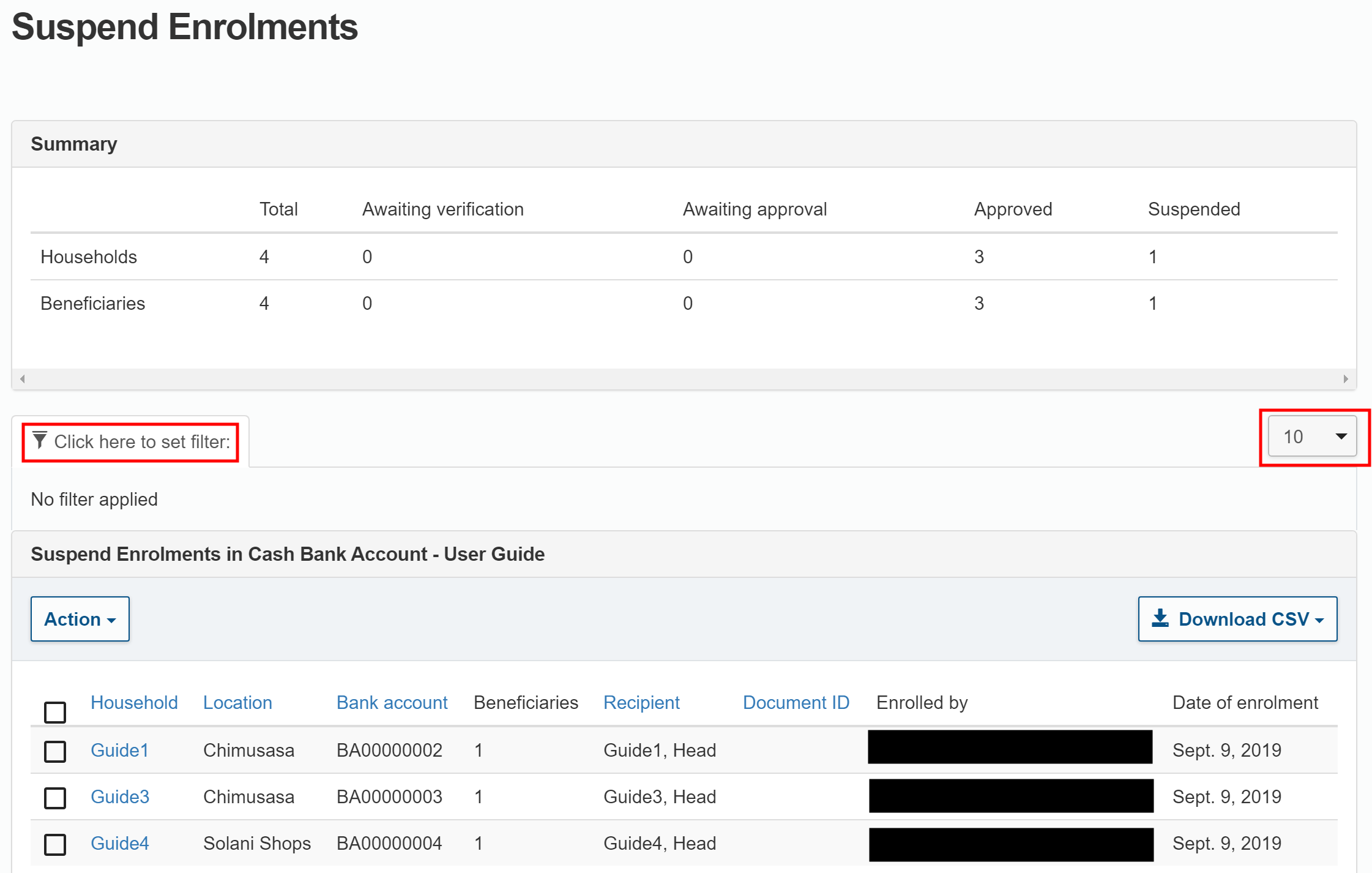
In the Suspend Enrolments page, find the households you want to suspend. By default, 10 households are displayed on each page.
- Click the filter icon () to filter the households that are displayed.
- Click the Records Per Page drop-down menu to select how many records are shown on each page.
-
Select the enrolments you want to suspend in this intervention. You can suspend some or all of the enrolments.
-
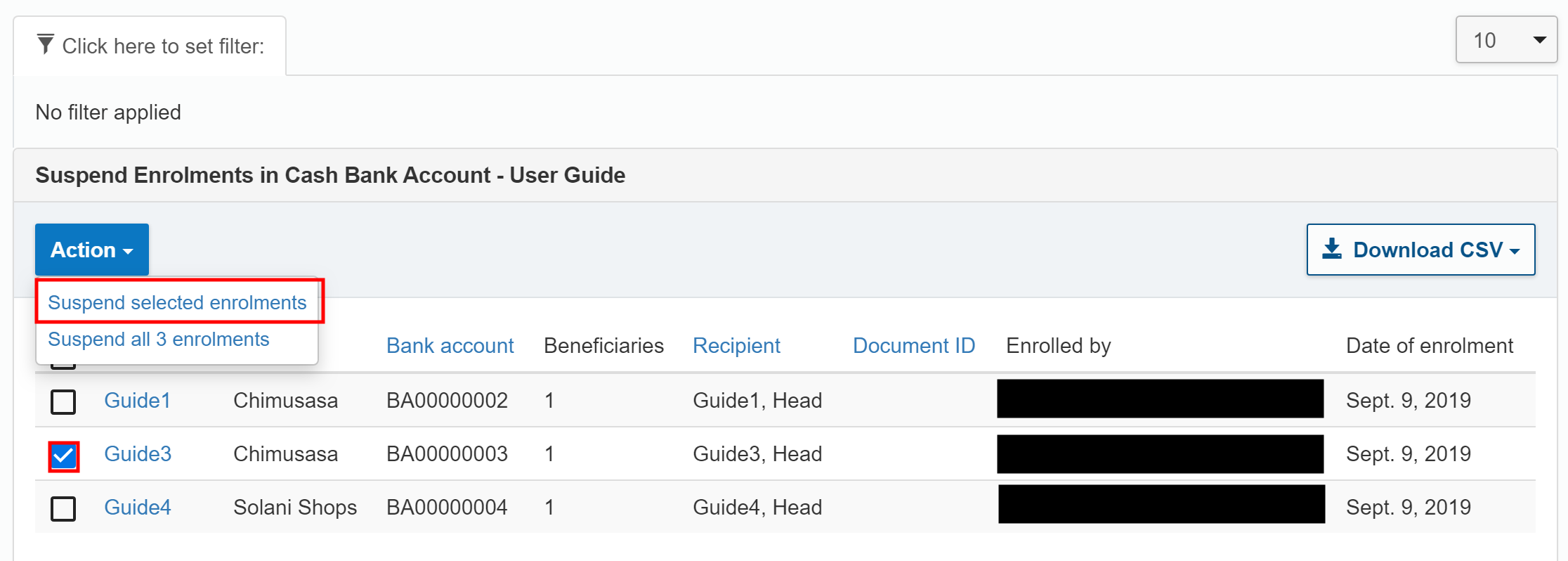
To suspend selected enrolments, click the checkbox next to the desired enrolments. From the drop-down menu, select .
-
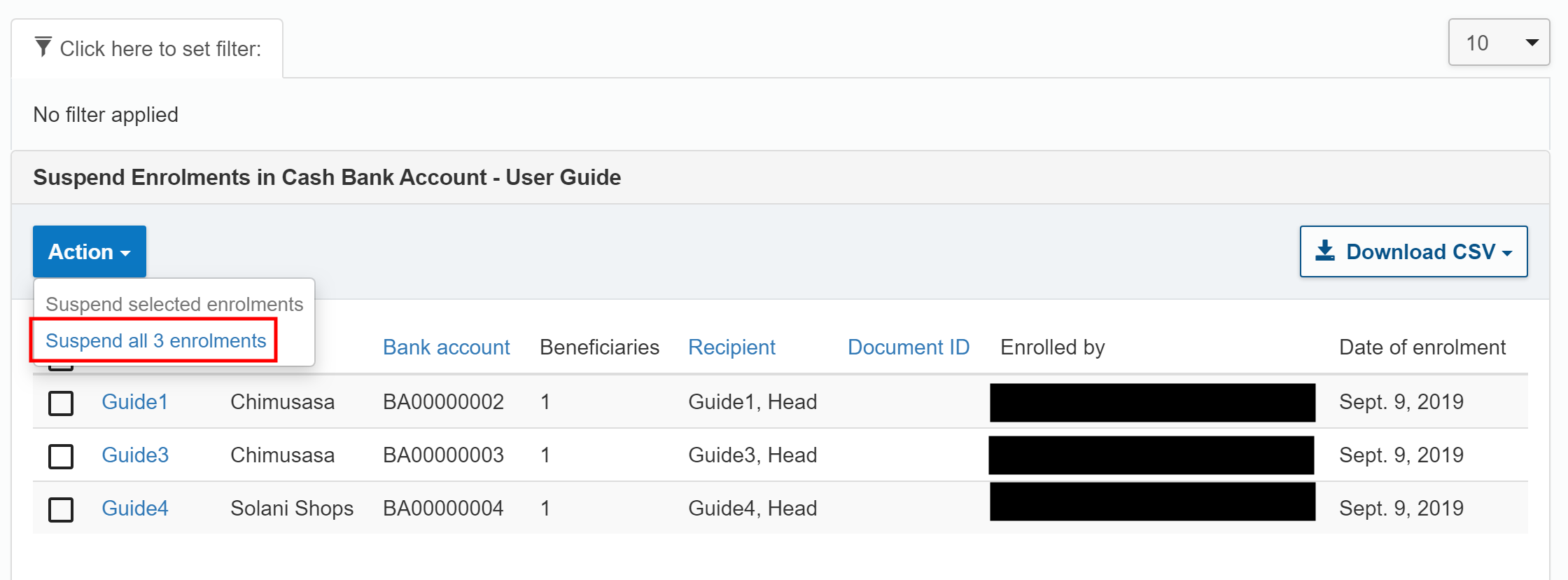
To suspend all enrolments that are shown in the results, from the drop-down menu, select .
-
-
In the Reason for suspension pop-up window, select a reason from the drop-down list and add a comment if required.
-
Click when you are done.
- You will automatically receive an email containing the suspension results. The email includes a download link for a CSV file that lists the beneficiaries that have been suspended.